Product design · Brand · Full-stack · 2026
Otra MesaGood food deserves another table.
A near-real food-rescue product for Barranquilla — three apps, real reservations, simulated payments and a QR pick-up, on a stack I built and host myself.
Every evening, good food is thrown away for one reason only: the day is over. Otra Mesa sells it as a “house surprise” at about a third of the price — less waste, a fair return for the restaurant, new neighbours at its table.
- My role — everything: brand, product design, design system, front-end, back-end and the servers it runs on.
- The product — three apps on one API, for customers, for restaurants and for the admin.
- How real — accounts, bookings, pick-up codes, ratings and notifications all work. Only the money is simulated, with test cards.
- Where — Barranquilla, Colombia — a working demo with sample restaurants. Built and hosted by me in Germany.
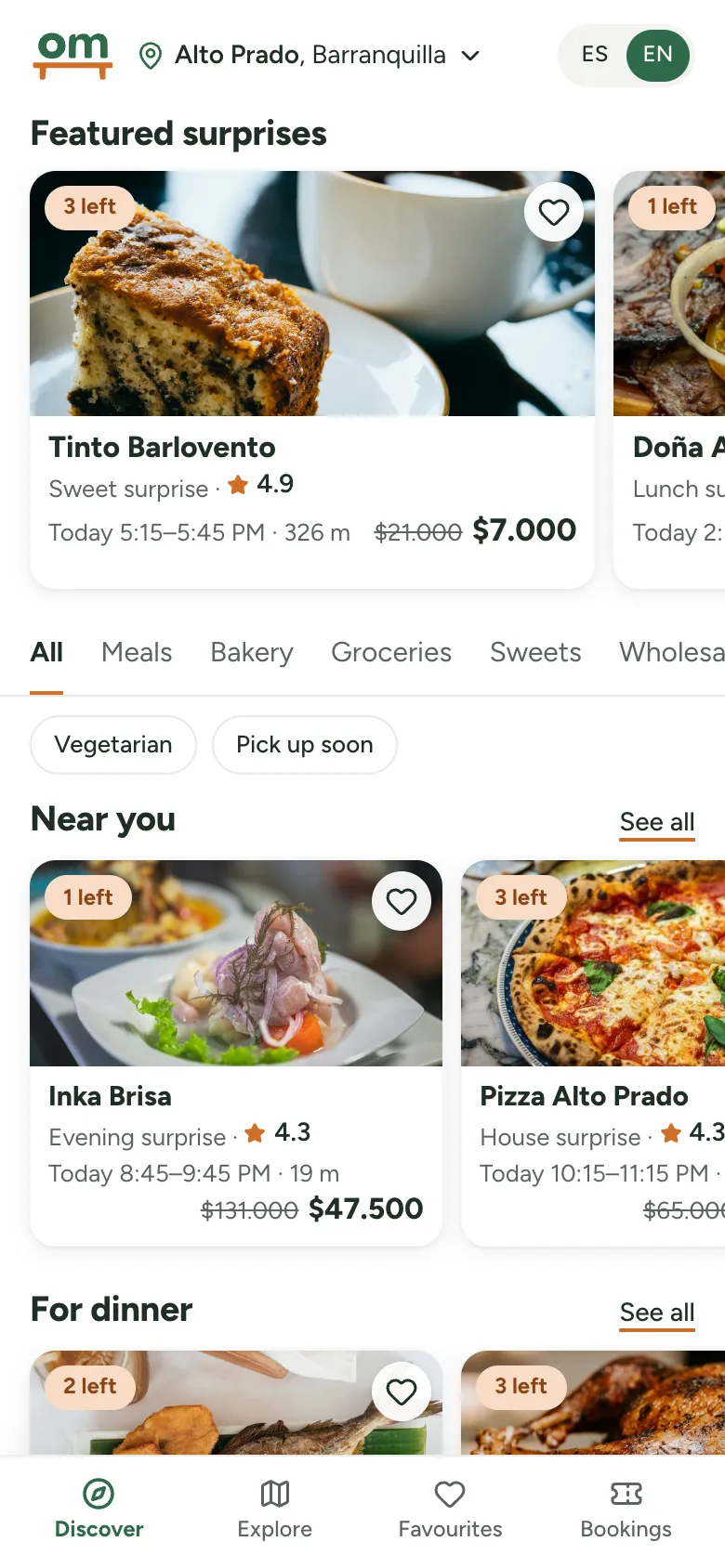
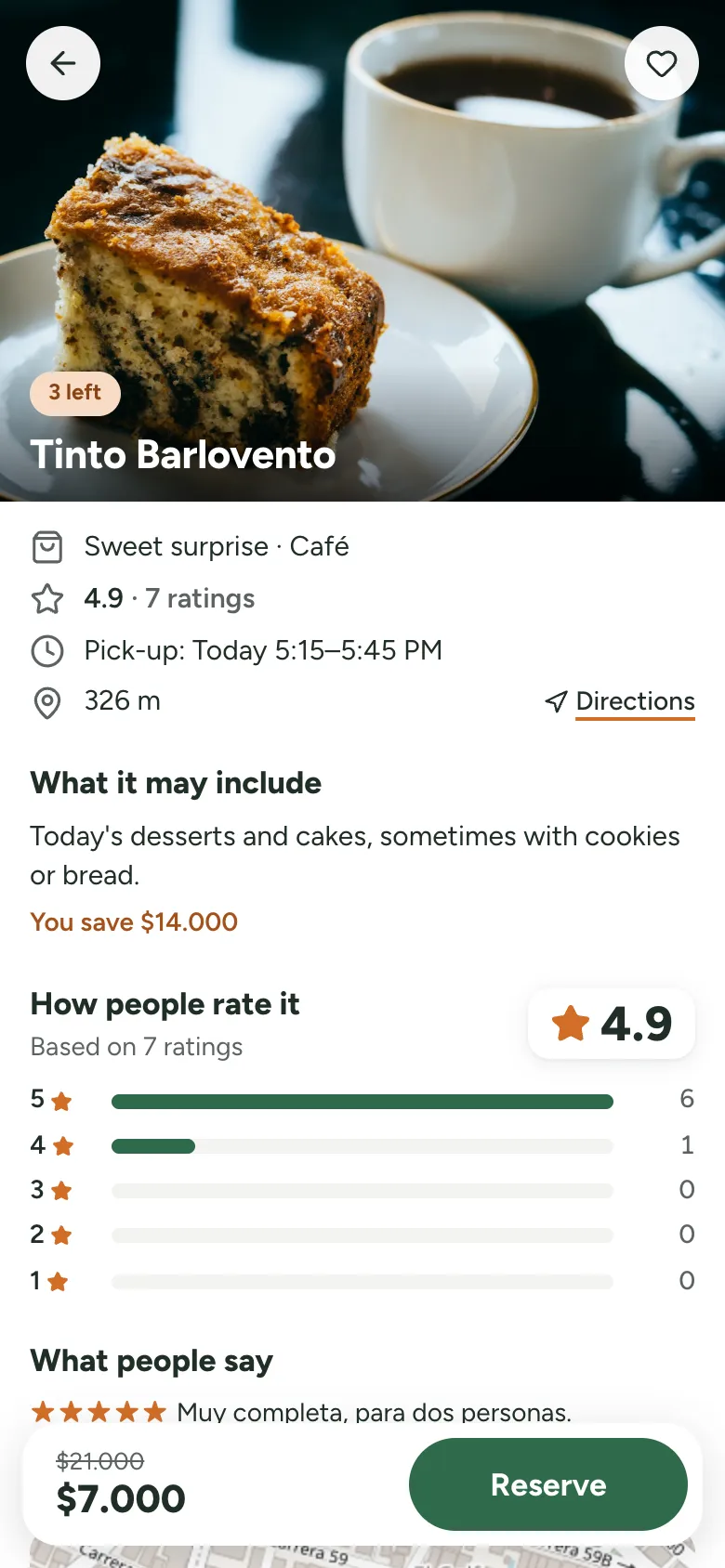
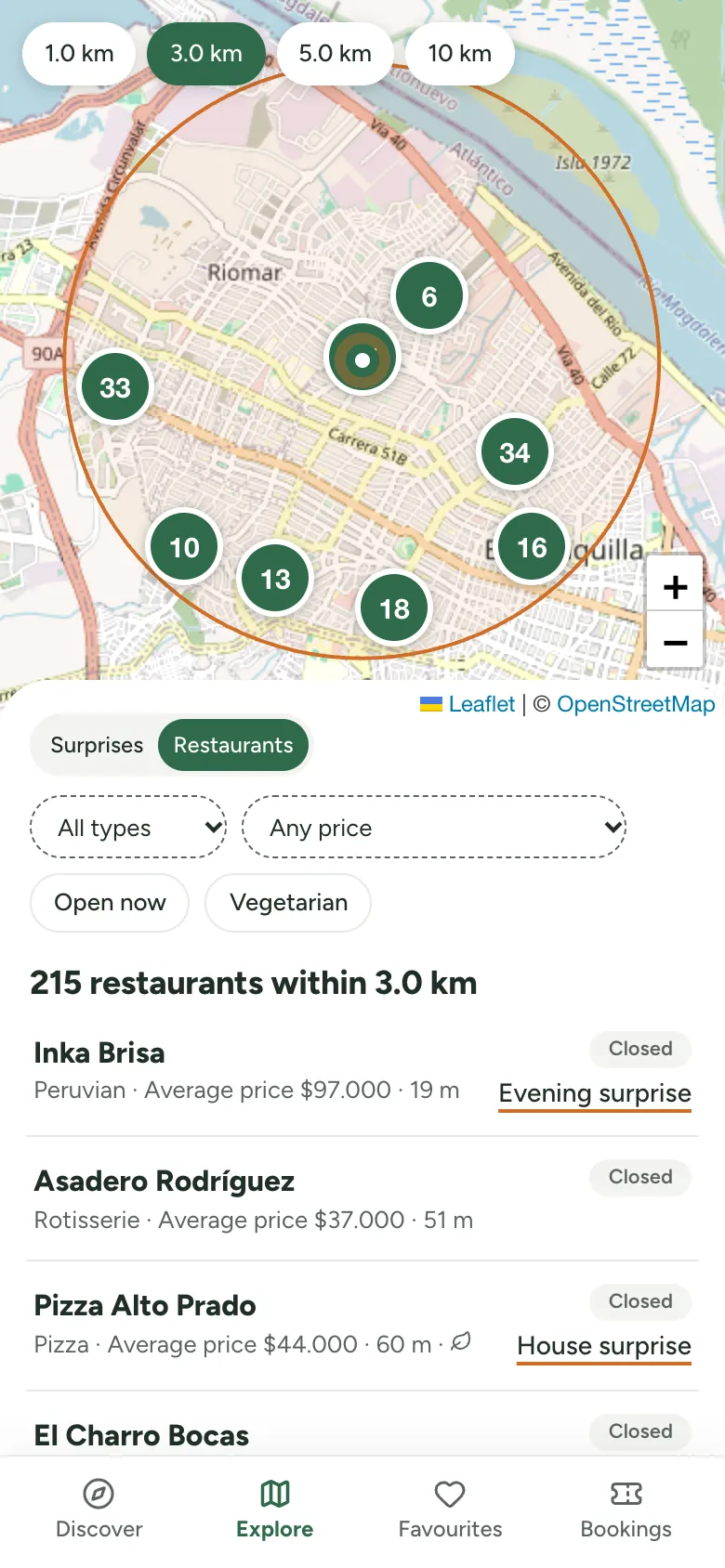
Discover, a surprise and the map. You reserve, pay and pick it up today with a QR code.
Three apps, one API
| App | What it does |
|---|---|
| Customer app, for people nearby | discover and map, reserve and pay, QR pick-up, favourites, ratings, the food you have saved |
| Business portal, for restaurant teams | apply to join, publish surprises (always 30 % off or more), scan the QR, invite the team, see the money |
| Admin office, for me | approve restaurants, bookings, payments and payouts, users, reviews, a log of every action |
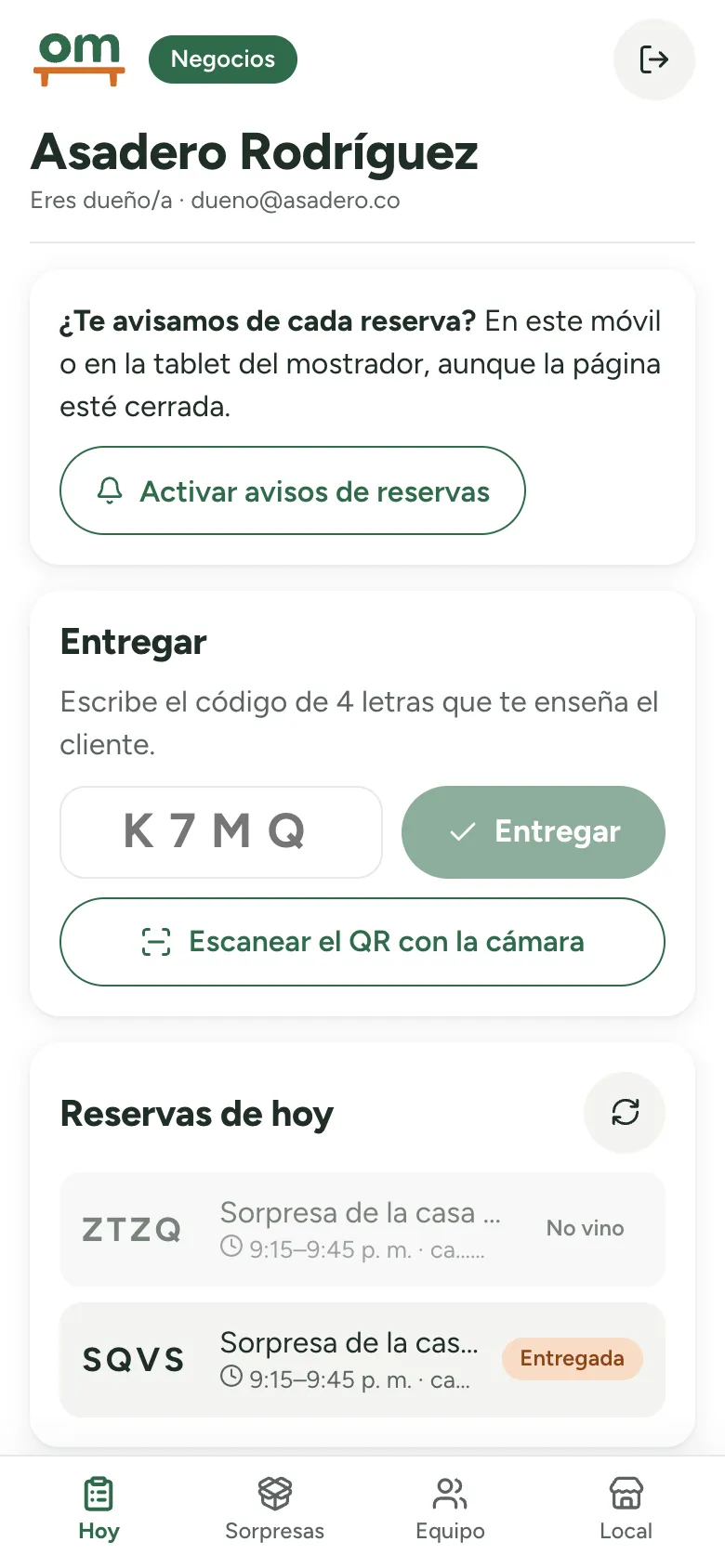
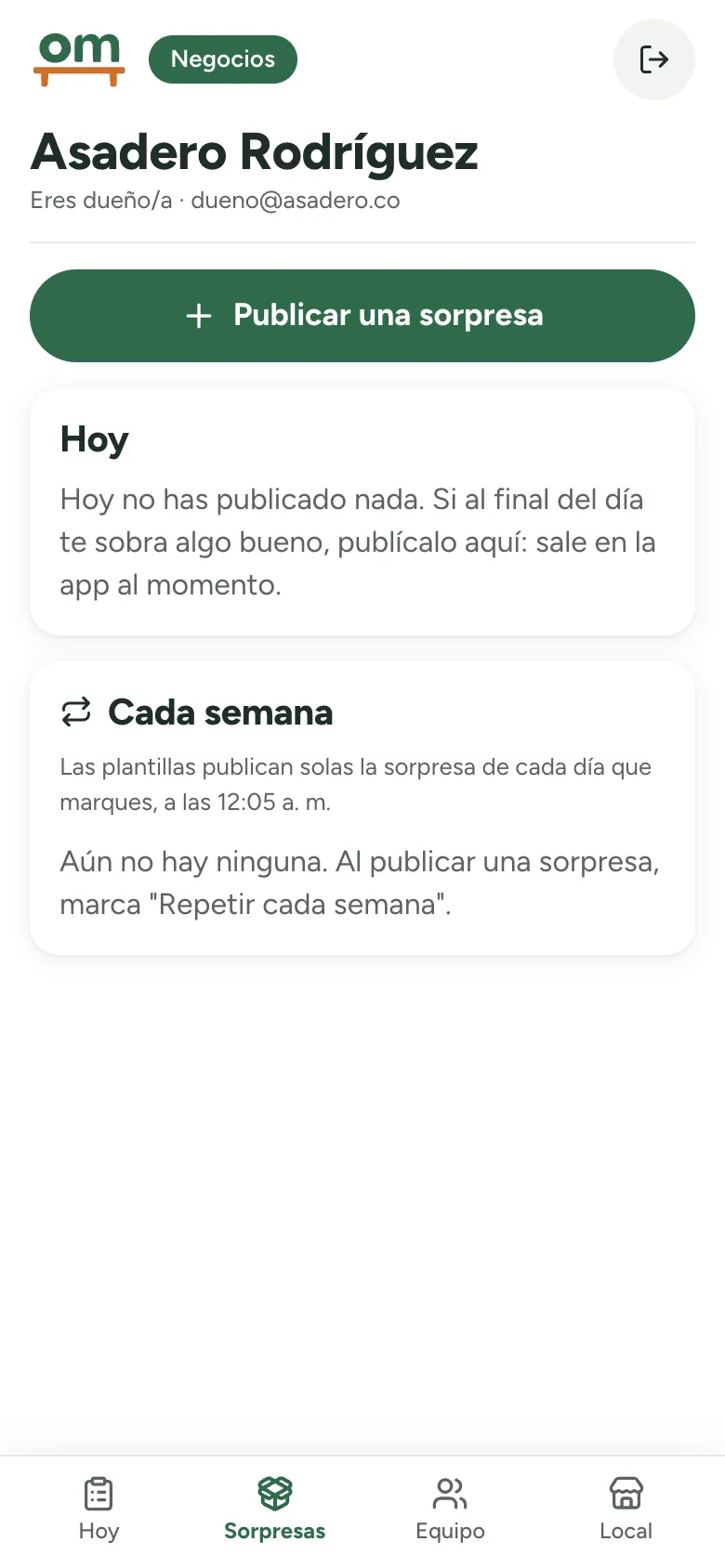
The business portal lives on the phone at the counter.
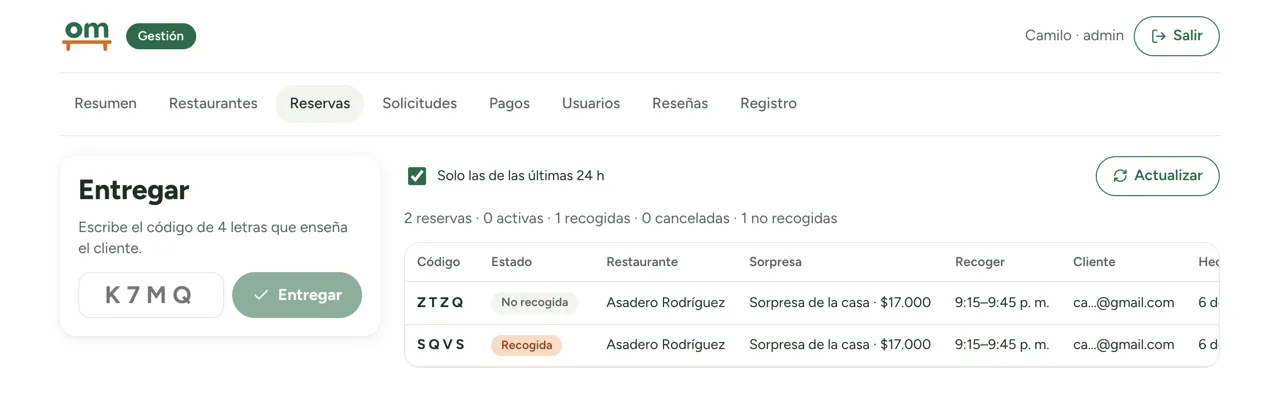
The admin office: every booking as it lands, across all restaurants.
Design: quiet, and systematic
Quiet by default. White background, one text colour, one typeface. The logo’s green carries the main actions; terracotta is kept for small details — stars, labels, the active tab. Times read the way Barranquilla says them: 5:15–5:45 p. m.
One source for three apps. Every colour, size, radius and shadow is a token: nine type sizes, twelve spacing steps, five radii, four shadows, six colour-blind-safe chart colours and a dark mode for the business tools.
Documented, tested and live. Eleven real components — the same ones the three apps use — in a public catalogue, each in light and dark with its accessibility check. Unit tests and type tests run on every change; the code and the tokens are public on GitHub, with semantic versions. A 45-page specimen book tells the story behind it.
Live from the catalogue: the surprise cards. Swipe them — this is the component itself, not a picture of it.
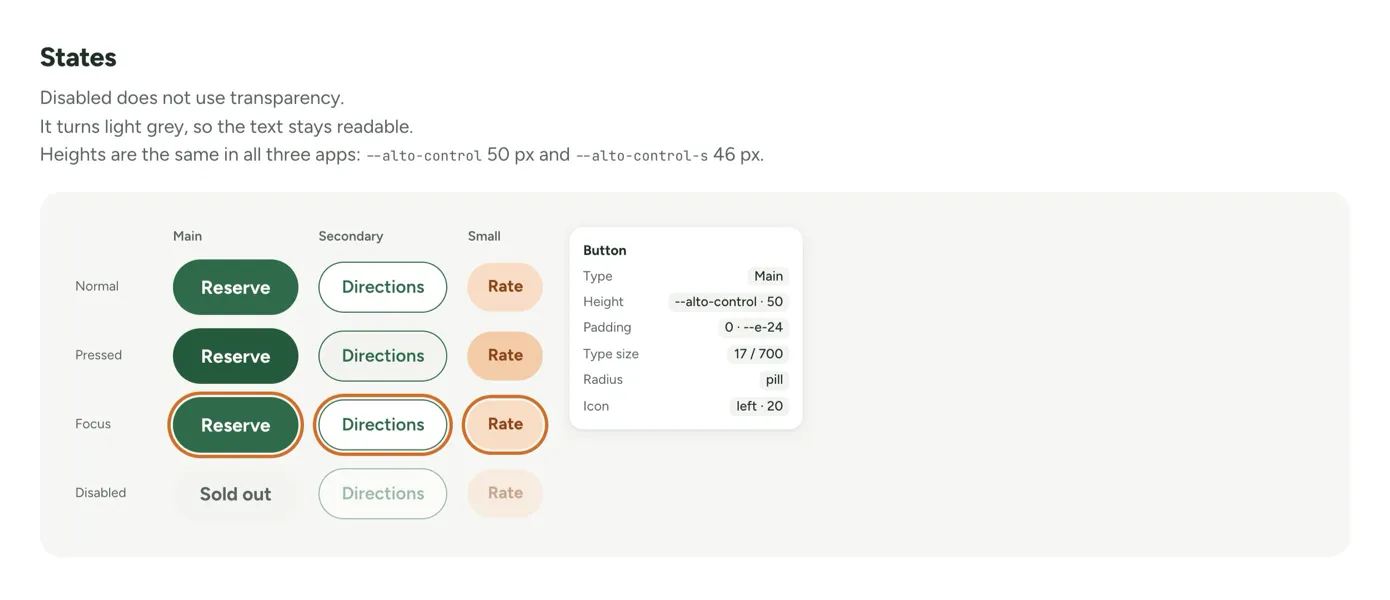
Live design system ↗ · Code on GitHub ↗ · Specimen book (PDF, 45 pages) ↗
Engineering: the hard parts
| Problem | How I solved it |
|---|---|
| “Near me”, to the metre | MongoDB with a 2dsphere index and $geoNear; Postgres stays the official record. Distances checked against Haversine. |
| Never sell the last one twice | Stock goes down in one atomic database step: two people, one surprise left, one booking. |
| Money, without real money | Authorised on booking, charged at pick-up, voided on cancel, refundable — with a 20 % commission and payouts. Only test cards; only the last four digits are stored. |
| Passwordless login | Google (OpenID Connect with PKCE) or a six-digit email code: stored as fingerprints, expires, burns after five tries. |
| Owner here, staff there | One account, several keys. Email invitations become keys at first sign-in; a restaurant can never lose its last owner. |
| Telling people in time | Web Push: a new booking for the team, “pick-up in 30 minutes” for the customer. |
Run like a real product
After launch I measured, cut and measured again — on a mid-range phone with slow 4G, median of three loads:
| Slow 4G | Before | After |
|---|---|---|
| Discover · downloaded | 1,918 KB | 664 KB (−65 %) |
| Discover · main image visible | 10.1 s | 3.5 s |
| API data per screen | 141 KB | 15 KB |
- Tested on every change — three robots walk the whole journey: 98 checks for customers, businesses, the admin and both themes.
- Backups that are restored — nightly copies, tested by restoring them; every database change rehearsed on a copy first.
- A black box for errors — GlitchTip on my own server, with source maps that are never published. No personal data, deleted after 30 days.
- An honest dashboard — every figure has its comparison and its n, every chart reads as a table. Example data is always labelled.
- Automations that report back — n8n sends a morning summary, a weekly report to each restaurant and an alert when a task fails. Its database user can read only what the reports need.
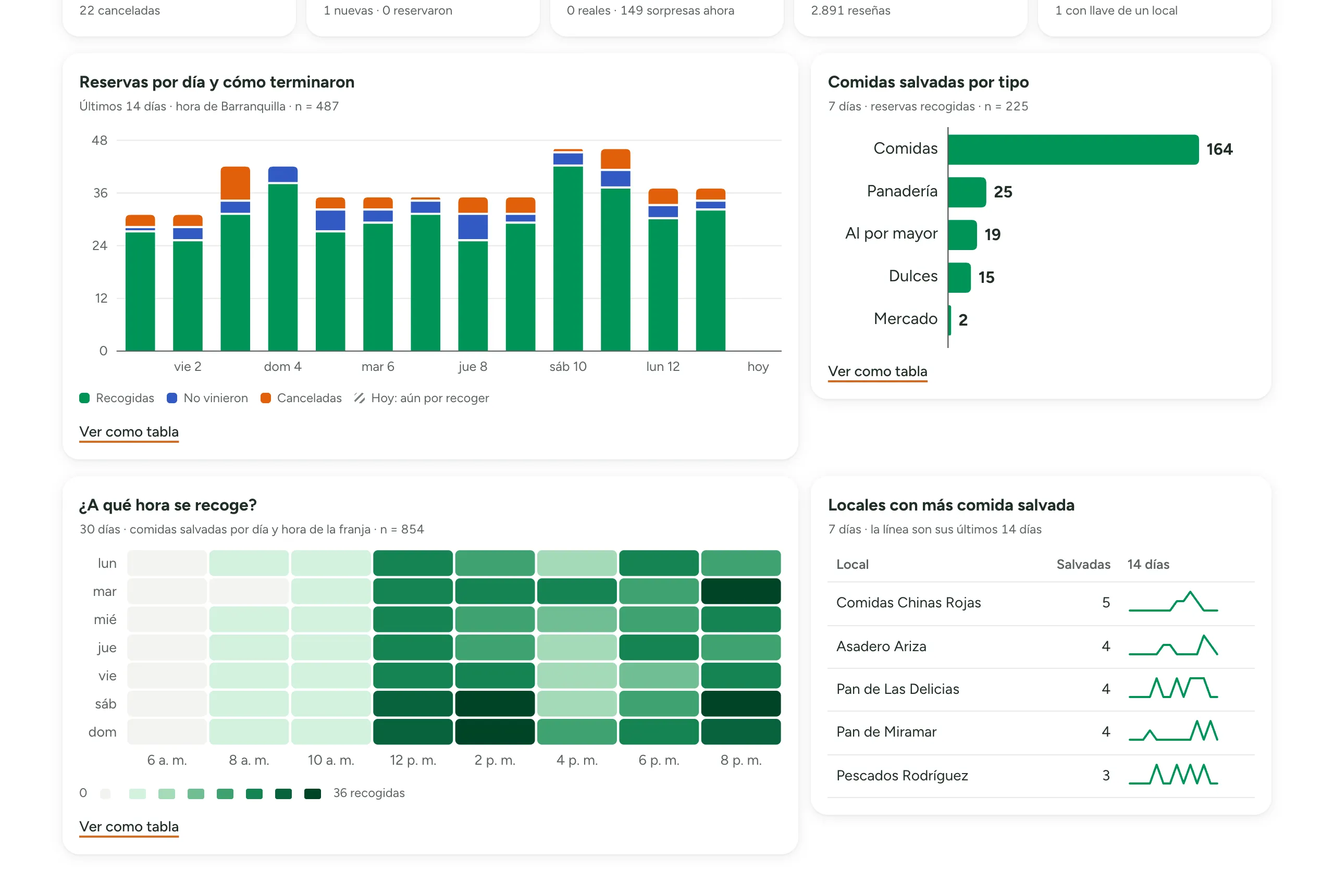
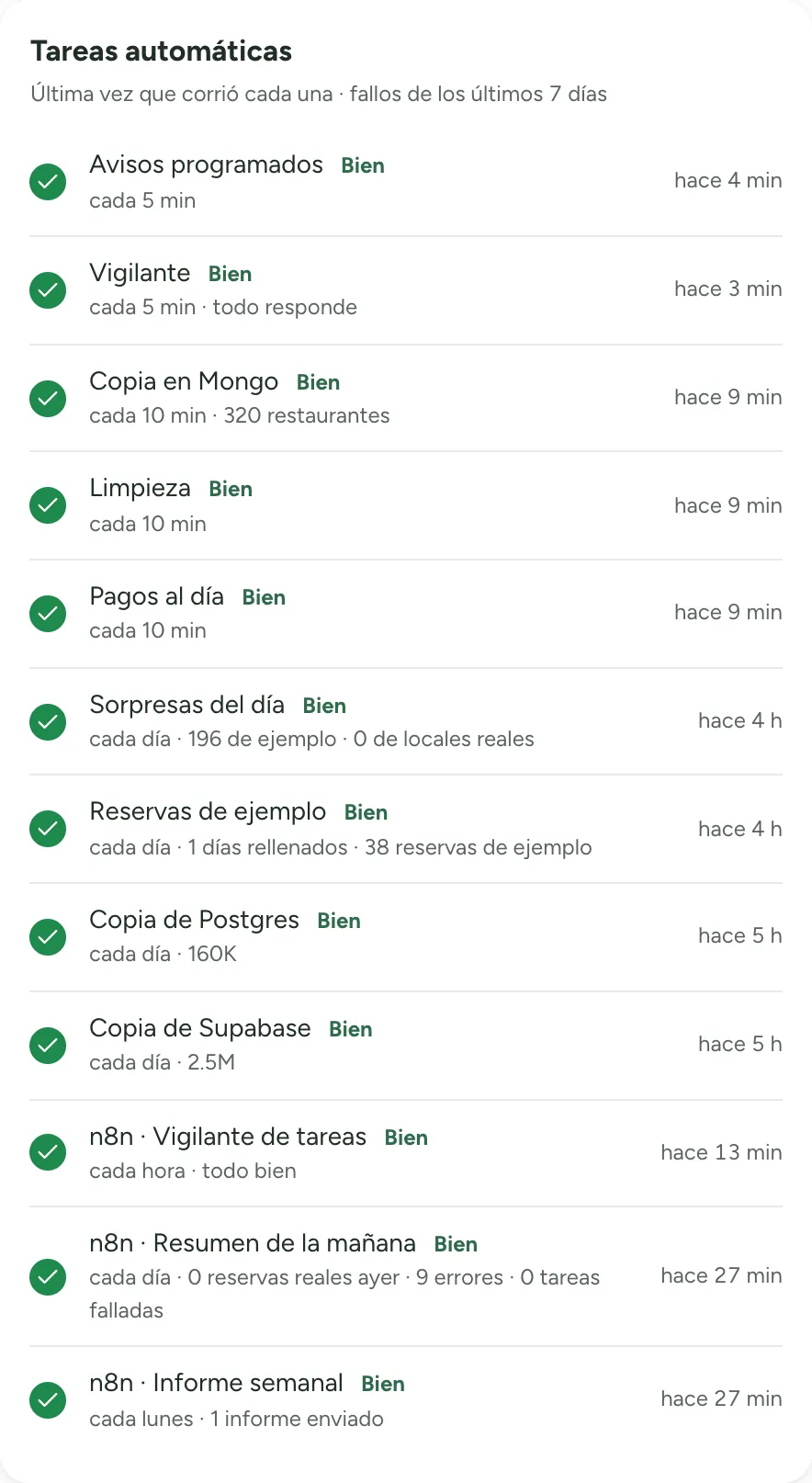
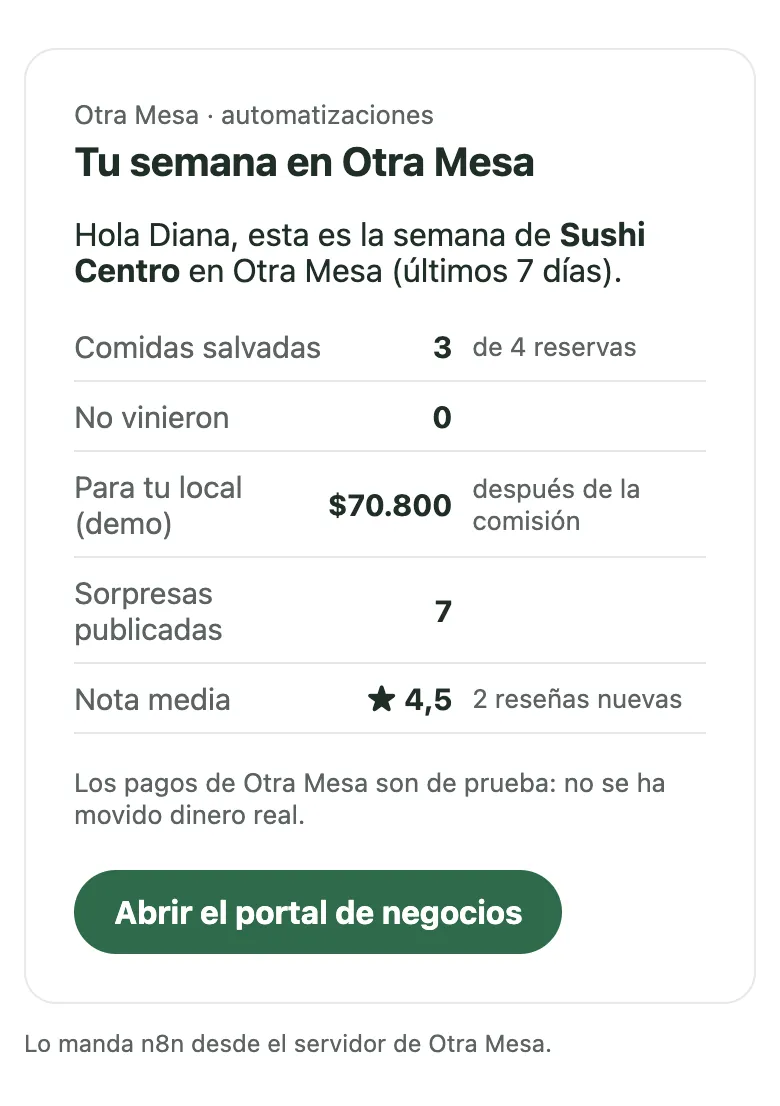
The console lists every automatic task, and one that stops running shows up as late. The weekly report goes to each restaurant — shown here with a demo restaurant and sample data.
Accessible by default
Every screen checked against WCAG 2.2 AA — the standard behind Germany’s accessibility law (BFSG) — first by a robot, then by hand, signed in as a guest, as a restaurant and as an admin.
| What was wrong | What changed |
|---|---|
| The photo on each card was a button with no name: a screen reader heard “button, button, button” | The name below opens the surprise; the photo stays a shortcut for fingers |
| On the map, the focus ring almost disappeared (2.6:1) | An ink ring with a gap, visible on any street — fixed once, in the design system |
| Past bookings were faded to 70 %, so their text dropped to 2.9:1 | Only the photo fades now; the text stays readable |
| Changing screens left keyboard and screen-reader users nowhere | Focus moves to the new title, and the browser tab says where you are |
The result: 14 of 14 public screens, 18 of 18 back-office views and 8 of 8 business-portal views clean, in light and dark. Accessibility statement ↗
Stack
Front-end — React · React Router · Vite · Leaflet + OpenStreetMap
Back-end — Node.js · Express · Postgres · MongoDB · Web Push · Google OpenID Connect
Infrastructure — Hetzner Germany · Docker · Caddy · GlitchTip · n8n · Monorepo